Humidifiers are notorious for being high maintenance machines because of the nature of their design and that they require a basin of water to work.
3 different types of Humidifiers that qualify as “self cleaning”:
1. UV sterilization
2. Germ resistant plastic
3. Germ and Bacteria Resistant Water Additives
4. Vaporizer
Why does that make Humidifiers high maintenance?
Because of the easy formation and growth of mold that happens inside of a humidifier when it is not maintained properly.
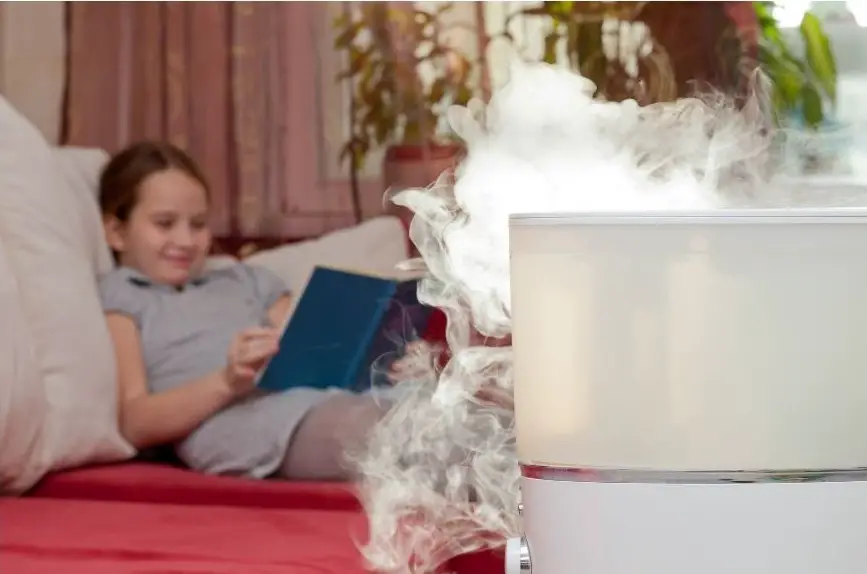
And the fact that the mold growth inside of the machine becomes part of the humidity being expelled into the room when the unit is in operation.
Breathing mold spores can trigger asthma and exasperate allergies. That’s not good.

Wouldn’t it be great if there was such a thing as a “self cleaning humidifier”?
Technically a vaporizer is a type of Humidifier that is considered a self cleaning humidifier because is boils water as a means of creating steam. The boiling process kills any mold or bacteria in the operation.
But vaporizers are not for everyone and most people considered them to unsafe to keep in the babies room or children regardless.
So where does that leave the idea of a self cleaning humidifier?
There is not yet such a thing as a completely self cleaning humidifier that requires no maintenance.
But there are multiple ways that the issue the mold growth in humidifiers is being addressed, and different technologies that are being invented and used to make humidifiers safer.
1. Antimicrobial plastic
One of the most exciting innovations in humidifiers is the use of germ and bacteria resistant materials in the construction of the humidifier.
Antimicrobial plastic contains biocide polymers that combat the production of mold and mildew on the surface of the plastic. It has a ton of applications and seems to be perfectly suited for humidifiers.
Not only can humidifiers be completely built out of antimicrobial plastic, the filter inside of the humidifier can also be coated with the same type of product to keep the filter from becoming a moldy mess too.
Which, as you probably have already realized, is an amazing leap for appliances like humidifiers and dehumidifiers, as well as air conditioners and water-based air purifiers.
Since the one thing all of these appliances have in common is that they are subject to mold and bacteria growth,
If the materials that the humidifier is constructed of are resistant to mold growth, and the filters within them are also resistant to mold, then the search for a self cleaning humidifier is nearly half over.
Nearly half?
Yes, nearly half. The reason is, that humidifiers not only grow mold on the plastic and construction itself, they also have a tendency to get mold on the surface of the water inside of the basin when it is not changed often.
And keep in mind, the whole point of the humidifier is to use the water in the basin to emit into the air to increase the humidity in a room.
If the water in the humidifier basin has mold and mildew when the machine is running, then the humidity droplets in your air will also be full of mold spores and bacteria.
Keeping mold and mildew from growing on the surface of the humidifier, regardless of it being inside or out, is a mind-blowing advancement in humidifier innovations, but it is yet only half the battle.
Keeping mold and germs from growing in stagnant water is the other side of the equation that would make a humidifier actually “self cleaning”.
2. Ultraviolet sterilization
Fortunately there is already people who are making products to remedy the situation of mold growing on the surface of the water inside of a humidifier.
UV lamps are used in multiple industries to help reduce the spread of mold, bacteria, and viruses.
You have probably seen aquariums with a blue light inside of them. The blue light is a ultraviolet lamp that is targeted on the inside of the aquarium to help reduce the amount of algae and mildew that tends to take over an aquarium pretty fast.
Another place might have seen this same procedure in action is in a barber shop. Barber shops oftentimes have a cylinder that they put their Combs and scissors in that employees a UV lamp to clean and disinfect their utensils while they are not in use.
This is exactly the same way that ultraviolet light can be used in a humidifier.
Positioning a ultraviolet light inside of a humidifier to continuously Target the water inside of the basin is a proven method of reducing the amount of contaminants that may be emitted into your airstream in the humidifying process.
Combining ultraviolet light in a humidifier that is constructed out of antimicrobial plastic seems to cover all the bases in the search for a self cleaning humidifier.
3. Germ and Bacteria Resistant Water Additives
Another technology that is used to combat the production of mold in the water of a humidifier is anti mold and germ pods that you purchase to place inside of the basin with the water.
This is more of a back road country recipe that has become more mainstream.
The ideal is to put an additive in the water that keeps mold from taking hold.
Colloidal silver is a natural antibiotic that also has antimicrobial properties.
Although you can purchase colloidal silver and just add it to the water in your humidifier, you can also purchase pods and sticks that contains silver in them that will do the same thing as adding colloidal silver.
“There is a problem with these additives though, they are only useful in ultrasonic humidifiers.”
Another do-it-yourself home recipe for keeping the water in your humidifier fresher longer is to add a little bit of vinegar to the water in your humidifier.
Vinegar is actually one of the best all natural mold cleaners there is. Even edging out bleach because of its ability to get down under the surface better.
Some people even advocate breathing vinegar steam to get rid of chest and head congestion. But if that is something you want to try, you should do your own research and probably stick with apple cider vinegar which is loaded with enzymes and vitamins.
Recap
There is no humidifier that it is 100% self cleaning. But there are newer technologies available that make it nearly a reality.
Technologies like antimicrobial plastic that resists mold growth can be used in the construction of the humidifier making the materials the humidifier is made out of already mold resisting.
The filters inside of humidifiers can be coded with the same type of polymers that are contained in the antimicrobial plastic, which we’ll also help the filter for becoming a mold farm.
As for the water in the basin, there is a couple of technologies that can help keep the water fresher, longer.
One one is the use of ultraviolet light targeting the surface of the water so that mold and algae cannot take root.
Another is to add anti mold pods that contains silver. Silver is a natural antimicrobial that can help the water in the basin of your ultrasonic humidifier stay safer.
After all the point is to add clean humidity to your air so that you can breathe better.
Adding humidity that is laced with mold and germs is a quick way to trigger allergies and asthma.
9 Self Cleaning Humidifiers and or Options
- Aqua stick
- Safety First A clean humidifier
- Pure guardian h5450bca
- Dyson am-10
- Pure Enrichment Mistaire Eva
- Air innovations
- Winix humidifier
- Crane
- Boneco
Many of the reviews of so-called germ-free humidifiers are negative because people seem to have the expectation that there is no cleaning involved whatsoever. Unfortunately that’s just not the case.
For instance, The main issue with using UV in a humidifier is that the UV light has to be targeted directly on the bacteria or mold to be effective at destroying the germs.
So even though incorporating a UV lamp inside of a humidifier will definitely help cut down on mold and bacteria,
You shouldn’t expect every square inch of the humidifier to be in the direct target of the UV.
Some, like the Dyson a.m. do a much better job then others,
But the idea that you do not have to clean the humidifier ever because it has a UV lamp is not realistic.
The same thing goes for humidifiers that have the antimicrobial silver induced plastic. Do they help reduce germs in the water tank of a humidifier? Yes, no doubt.
But does that mean that there is no cleaning to be done? Not at all. There has yet to be invented an additive but you can place it in a humidifier that will completely kill 100% of all bacteria and mold.
Self-cleaning humidifiers are better called low maintenance humidifiers because they incorporate methods to help curb bacterial growth and reduce the amount of cleaning.
Some are better than others.
But there is no such thing as a humidifier that is completely germ-free.
Click here for AquaStick
Aquastick

Aqua stick is an additive that you place inside of your humidifier similar in looks to a cleaning stick that you place in the back of your toilet.
They are an inexpensive way to help keep mold and bacteria from growing inside of your humidifier. They can be used for up to two to three months without having to be replaced.
They also have a reputation of being able to use tap water. Which carries with it a huge advantage.
Many of the humidifiers that we review that are designed to be antimicrobial for less cleaning use silver induced materials in their construction.
Aqua stick is a way of using silver in your humidifier tank without having to pay for a humidifier that is made from antimicrobial silver induced plastic.
This product is made by guardian technologies who also build antimicrobial humidifiers.
Remarks:
One of the easiest ways to keep bacteria and germs from growing in your humidifier. And they work with any humidifier regardless of the brand.
Buy Safety 1st Stay Clean Here
Safety 1st Stay Clean humidifier

The entire marketing of this humidifier is based on the fact that it is supposed to be self cleaning. But to be fair, the literature says there is “less cleaning”.
Unfortunately the reviews on Amazon are pretty heavily slanted to the opposite. Lots of complaints of pink residue in the bottom of the humidifier.
The fact that the Blue lamp in this humidifier is an LED light and not an ultraviolet light is probably the reason people are not seeing the results they expected.
As a basic humidifier it does not require a filter which is a plus but it does not have any of the regular features like humidistat, or aromatherapy tray.
Dimensions 10.75 * 8.9 * 8.9 in
Weight 3 lb
Square footage: unlisted
Tank size: unlisted
Features:
Buy Pure Guardian Here
Pure Guardian H5450BCA

This humidifier has different methods to help to keep bacteria and mold from growing inside of a humidifier.
The first is a non ozone UV-C light. The second is that it has silver embedded into the housing.
The third is the fact that it works as a warm mist humidifier as well. Which means that the water in the humidifier must be risen to a boiling temperature which will destroy bacteria.
Ultraviolet light is a proven method of destroying germs and bacteria when it is targeted directly upon them.
Silver is an all natural antibiotic that has a purifying effect on water.
This humidifier doesn’t make any claims suggesting that it is 100% germ-free or self-cleaning, only that it has incorporated a couple of methods that work to help reduce germs and cleaning.
And this pure guardian humidifier has a lot of features that make it an excellent humidifier regardless.
Features:
- Works as a warm mist or a cool mist humidifier
- UBC
- 100 hour runtime
- 380 square feet coverage
- Aromatherapy tray
Remarks
The real deal. Pure Guardian not only employs the UV lamp to target bacteria and germs inside of the tank, the tank itself is embedded with silver, an all natural antibiotic known to reduce bacteria.
Purchase Dyson AM-10 Here
Dyson am-10 humidifier

This is a humidifier and fan all-in-one.
Dyson am-10 uses a UV lamp that exposes every drop of water to the ultraviolet light.
And claims to kill 99.99% of bacteria inside of a tank.
It is an intelligent appliance that measures the temperature and moisture of the air to control to keep the ideal climate continuously in your room.
It is a 3 l tank and works up to 12 hours before having to have a refill.
Manufacturer: Dyson
Dimensions: 8.7 by 9.4 by 22.8 in
Weight: 7.5 lb
Tank size: 3 l
Square footage: not listed
Type: ultrasonic
Features:
- UVC lamp
- Fan
- Humidistat Auto shut-off
Remarks:
This is a Dyson product so the price is significantly higher than most.
They do have a reputation of being very effective and the fact that it is a powerful fan as well as a germ-free humidifier makes it very interesting.
This air purifier doesn’t feature a way to diffuse essential oils.
The reviews are a mixed bag. Some people love this humidifier, other people hate it.
Click here for Pure Enrichment Mistaire Eva
Pure Enrichment Mistaire Eva

This is a low maintenance humidifier that incorporates an antimicrobial filter.
It doesn’t make any huge claims of killing 99% of bacteria or even reducing it.
Only that it helps fight allergies by trapping and killing airborne allergens in the filter.
It does claim to dramatically reduce the amount of white dust you typically find around ultrasonic humidifiers though.
The humidifier uses a technology called whirlwind fan that captures cools and humidifies the air up to 500 square feet.
It offers for fan speeds and an auto off timer. It also offers turbo speed.
It also serves as a night light that can be changed to 7 different colors.
One feature missing is the aromatherapy option.
Item model number: PHHUMEVA
Dimensions: 9.5 by 9.5 x 13.5 in
Weight: 5.49 lb
Square footage: 500 square feet
Tank size: 2.8 l
Warranty: 5 years
Features:
- 500 square feet
- Antimicrobial filter
- 25 hour runtime
- Multiple settings including turbo mode
- 7 color night lights
Remarks:
It has an amazing new technology that helps it cover large areas. But they don’t tell say what it is or how it works. A little fishy.
Purchase Air Innovations on Amazon
Air innovations

Air innovations feature one of the most stylish humidifiers available.
But style is not the only thing it features.
This humidifier can run 96 hours and humidify a room up to 600 square feet without refilling.
It also includes a remote and a digital display hygrometer / humidistat.
The reason it is featured as a low maintenance, germ-free humidifier is that it is made from antimicrobial plastic. Which resists the growth of mold and bacteria in the tank.
Manufacturer: great innovations
Dimensions 8 by 8 by 18.5 in
Weight: 3.83 lb
Square footage covered: 600 square feet
Run time without refilling: 96 hours
Features:
- Adjustable humidistat that adjust according to the relative humidity in the room
- Remote
- Auto shut off and beat notification when it runs out of water
- 15 inch extension nozzle
- Aromatherapy option
- Antimicrobial plastic construction
Remarks:
Easily one of the all around best humidifiers available. The humidifier features just about everything you can possibly want out of a humidifier and looks great doing it.
Buy Winix LightCel UV Humidifiers Here
Winix Ultrasonic humidifier with LightCel UV
Winix is known for their air purifiers that feature Plasmawave technology.
With this humidifier they have dove into the humidification world with a humidifier that has a UV +LED Light that targets bacteria and germs before they can become an issue and your humidifier.
It includes demineralization capsules that will help reduce the amount of cleaning also.
This humidifier holds two gallons of water and it will run for 120 hours without having to refill it.
And it can also be used as either a cool mist or a warm mist humidifier.
Manufacturer: Winix
Dimensions 8.5 x 10.6 by 14.6 in
Weight: 5.9 lbs
Tank size: 2 gallons
Maximum noise level: 30db
Features:
- UV + LED antibacterial light
- 120 hours between refills
- 2 gallon tank
- Programmable timer
- Auto shutoff
- Very quiet at 30 fb
- Warm mist and cool mist
- Demineralization capsules included
Remarks:
Winix have successfully managed to carve out a space for ionic technology in the air purification world that is dominated by HEPA filters.
And it looks like they have managed to design an excellent humidifier that helps control bacteria as well as keeps the humidifier cleaner longer as well.
Click here for Crane Humidifiers
Crane humidifier with UV

This is a humidifier that features all the bells and whistles but with a twist, it contains a UV lamp to kill bacteria and germs in the water tank before they become a cleaning issue and a breathing issue.
Variable speed settings and an adjustable 360 degree Mist lid make it excellent for using in a large area. It can humidify rooms up to 500 square feet and run for 24 hours without having to refill.
But it does not contain an aromatherapy option.
Manufacturer: Crane
Dimensions: 14 by 10 by 16 in
Weight: 7.26 lb
Square footage covered: 500
Tank size: 1.2 gallons
Run time: 24 hours between refills
Features:
- ultraviolet ionizing light
- 500 square feet
- Adjustable sit and leave humidistat
- Easy to clean
Remarks
This crane humidifier does not feature an aromatherapy essential oils option.
But it does say that it creates a refreshing smelling mist.
Ionizing air purifier manufacturers often spin the smell of ozone coming from their units as an “after a thunderstorm fresh smell”.
This humidifier doesn’t make any claims of ozone production but it is interesting that they use the same language and that they have an ultraviolet ionizing lamp included.
The reviews are hit-and-miss with a lot of people saying that the humidistat failed fairly soon after their purchase.
Click Here to Purchase Boneco s450
Boneco s450
There is a way to bypass all the issues of adding a ultraviolet lamp to a humidifier or putting additives in the tank or purchasing a humidifier that’s made out of antimicrobial plastic,
And that is to purchase a warm mist humidifier that boils the water before it is emitted into the air as steam.
Warm mist humidifiers or vaporizers are not for everyone because steam will raise the temperature in a room.
But as far as warm mist humidifiers go, Boneco has a humidifier that is next level.
It can humidify an area as large as 860 square feet. And it is very quiet coming in at 37 db on the high side.
Manufacturer: Boneco
Country: Switzerland
Dimensions: 13.2 by 9.5 by 14 in
Tank size: 2 gallons
Weight: 10.1 inches
Wattage: 480
Features:
- 860 square feet coverage
- Humidity display
- Humidistat
- Mist output control
- Safety Auto shut-off
- Programmable timer
- Essential oil options
Remarks
This is a warm mist humidifier that has all the bells and whistles you typically find with the big brands like Levoit.
Warm mist vaporizers or an easy way to get a bacteria free experience from a humidifier.
But they do use steam to humidify, which can make a room feel swampy.
This is a real nice humidifier but personally I would pick a humidifier that has a cool mist option as well as a warm mist often.

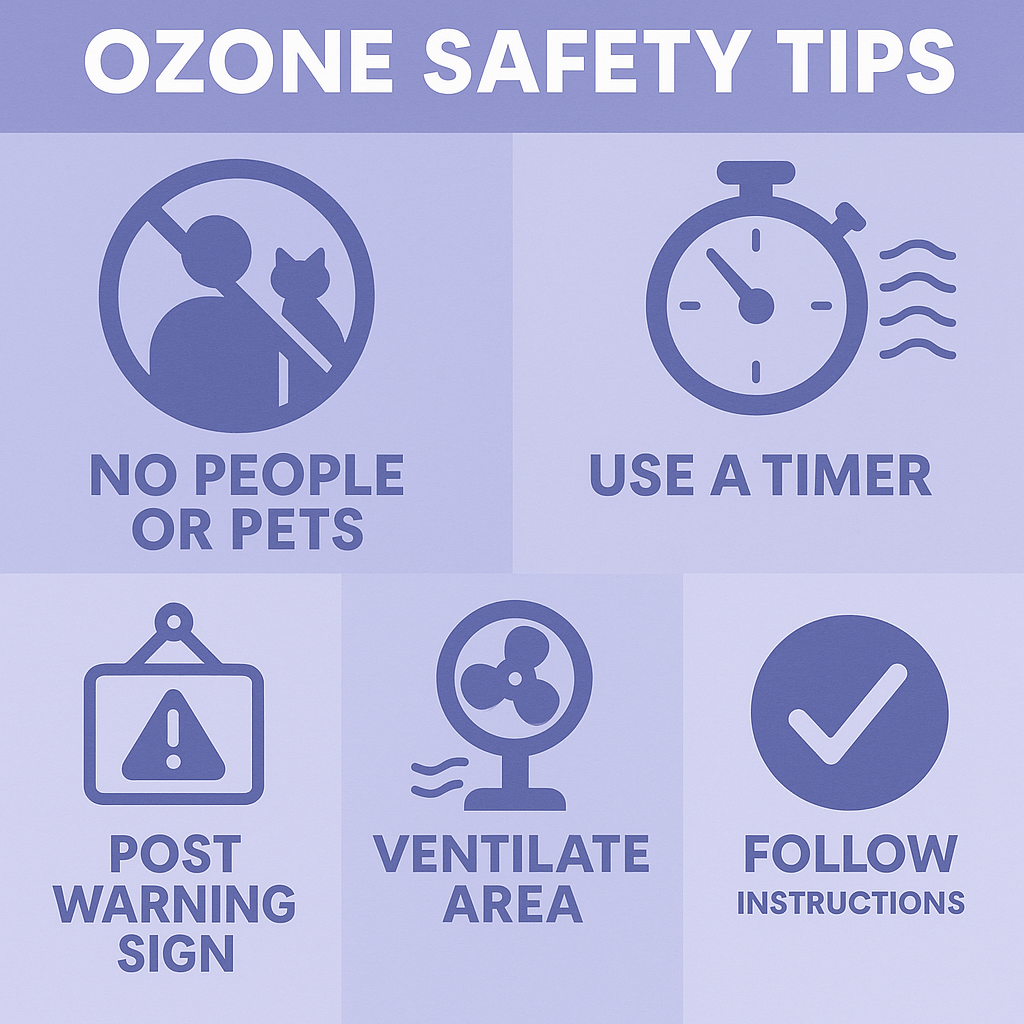
 Step-by-Step: How to Use Ozone to Eliminate Mold Smell


 Honeywell HCM-350 Cool Moisture Humidifier
 Levoit 6L Cool Mist Top Fill Essential Oil Diffuser
 Pure Enrichment MistAire Ultrasonic Cool Mist Humidifier



 1. Condensation on the windows
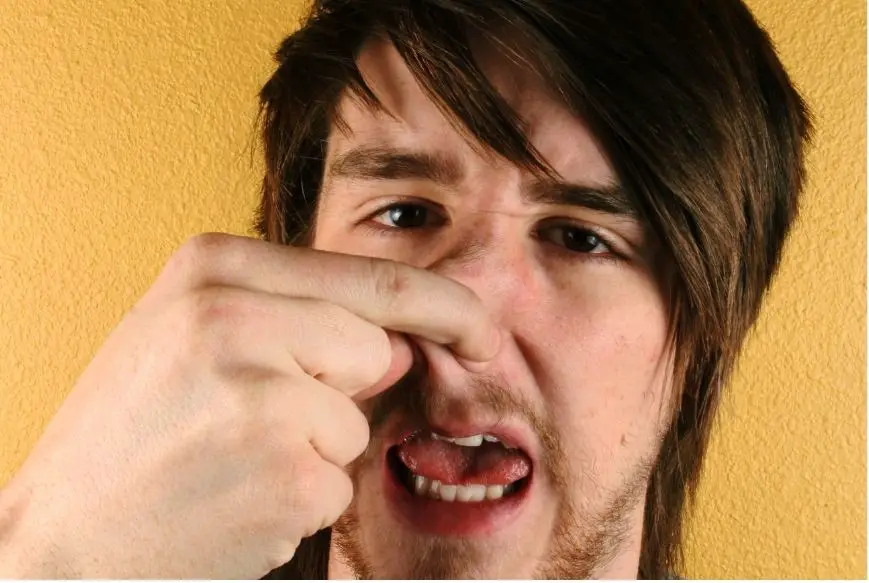 5. The smell of mildew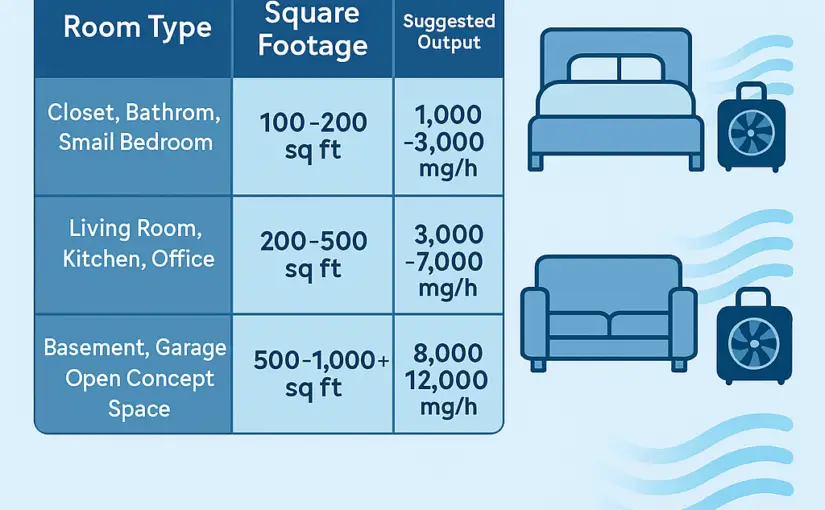
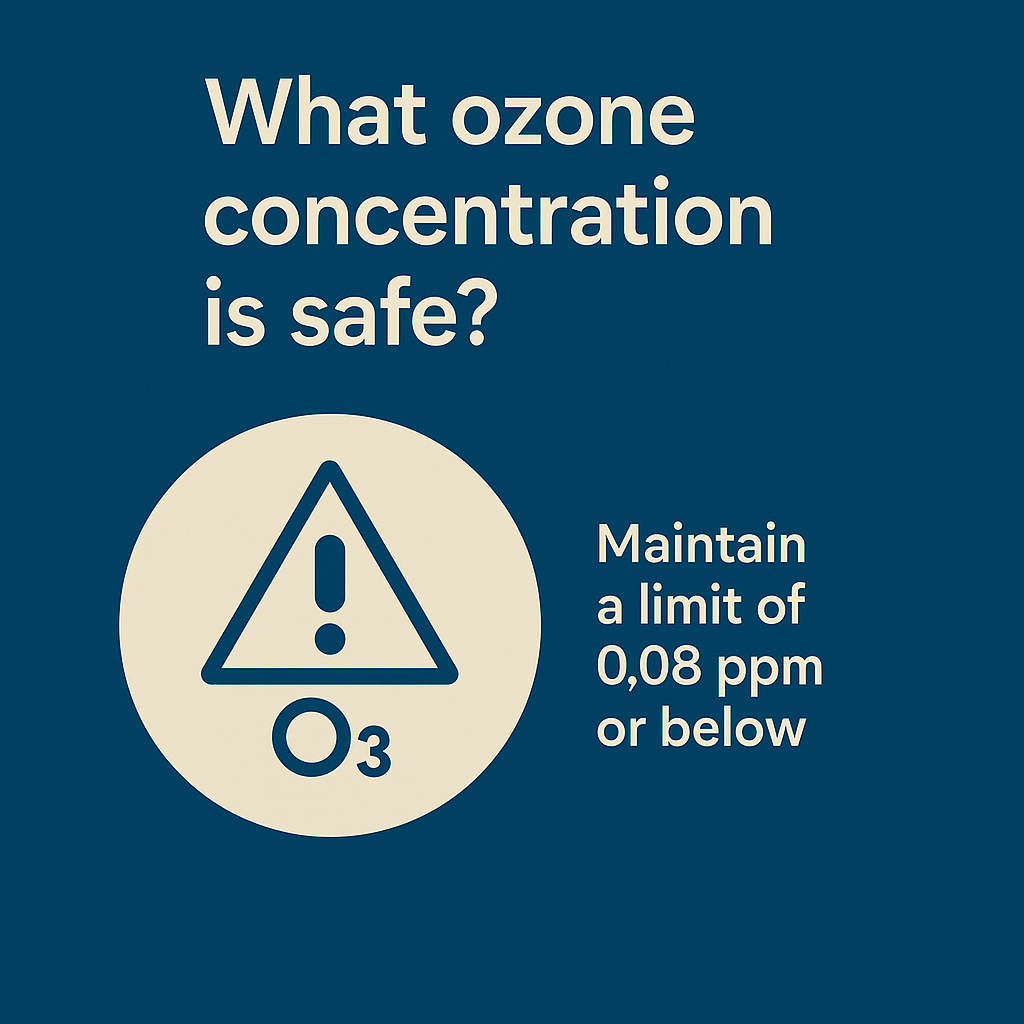
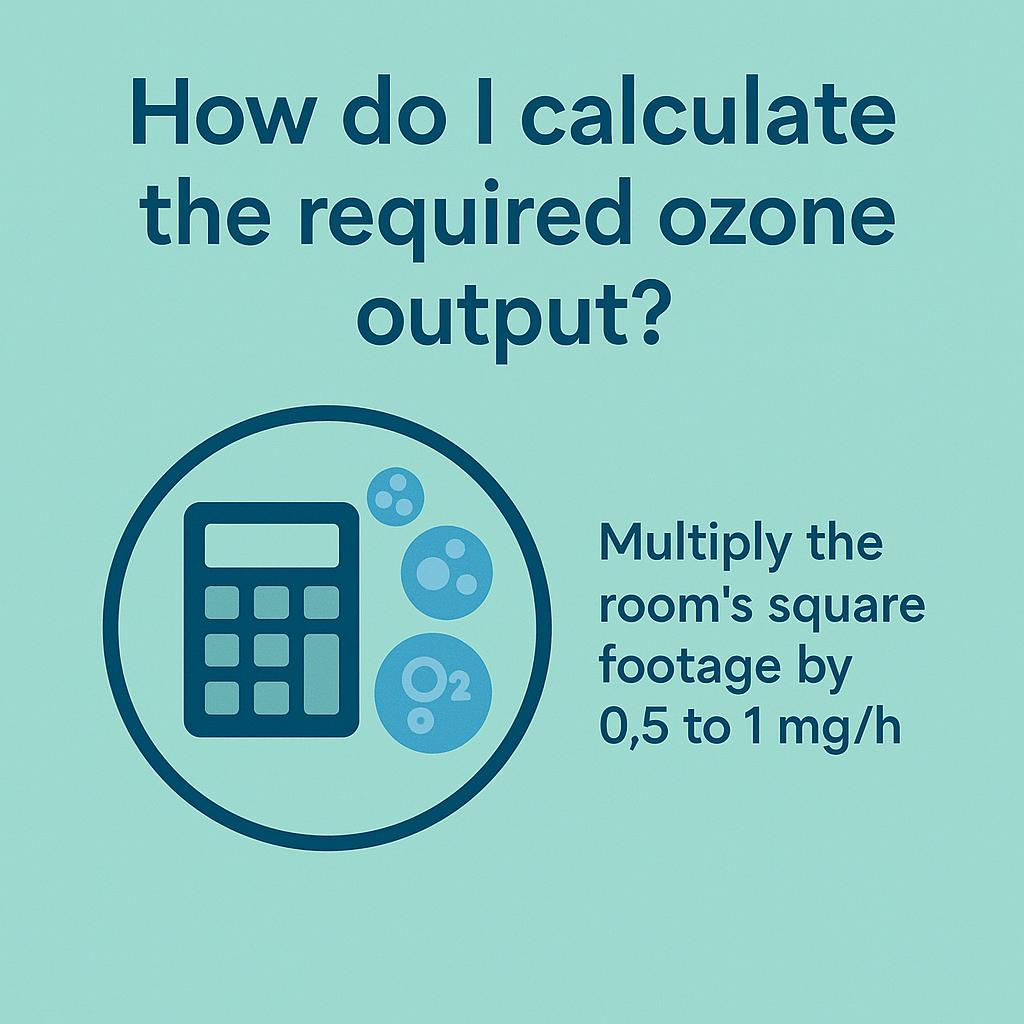 ❓ How Strong of an Ozone Generator Do I Really Need?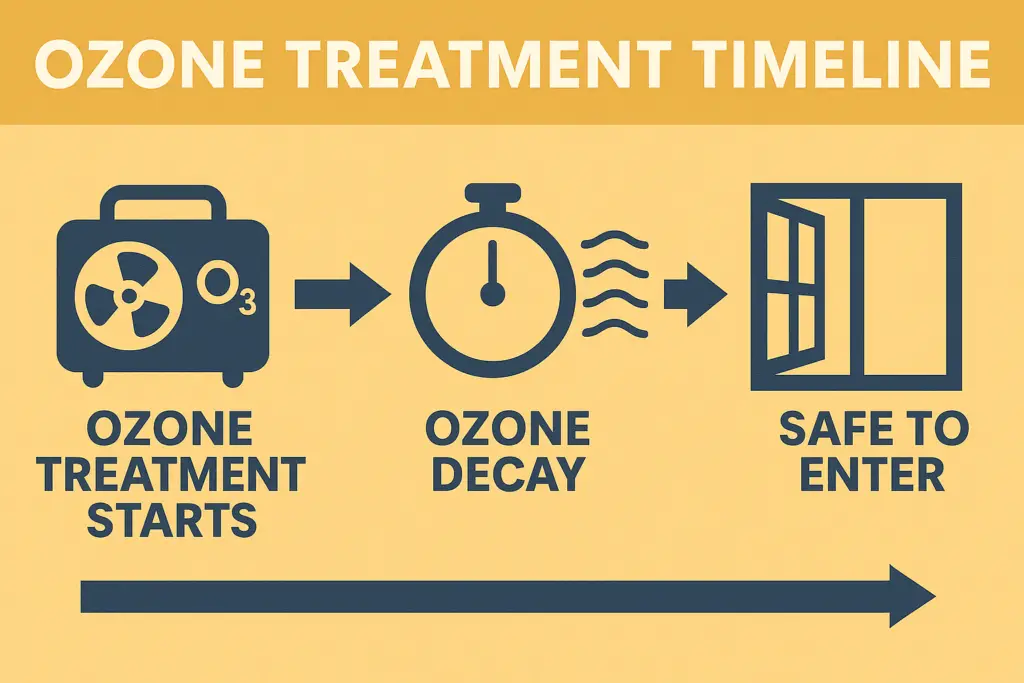
 Small vs Medium vs Large Ozone Generators: What to Expect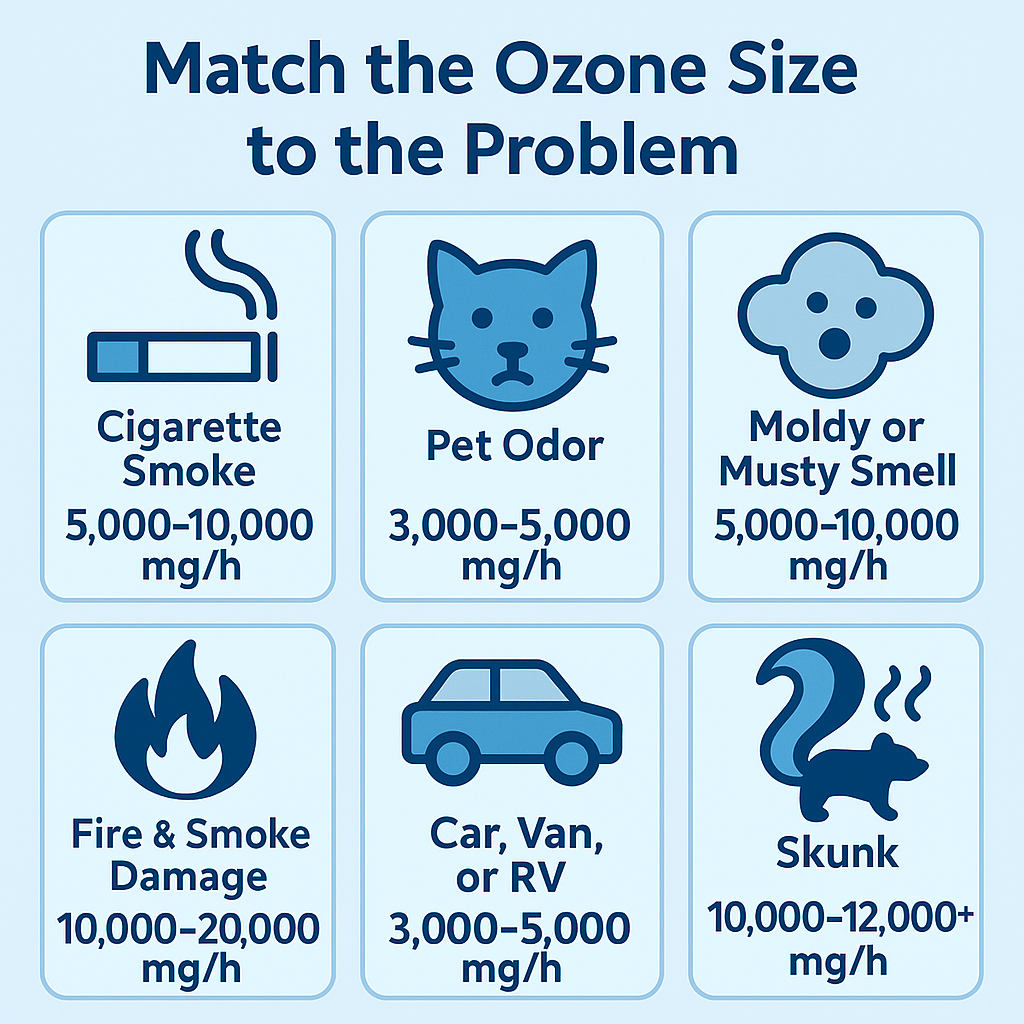



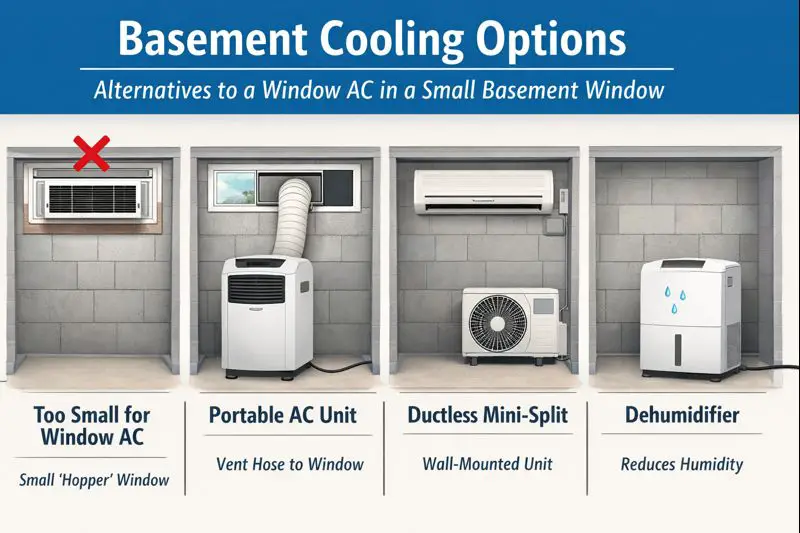

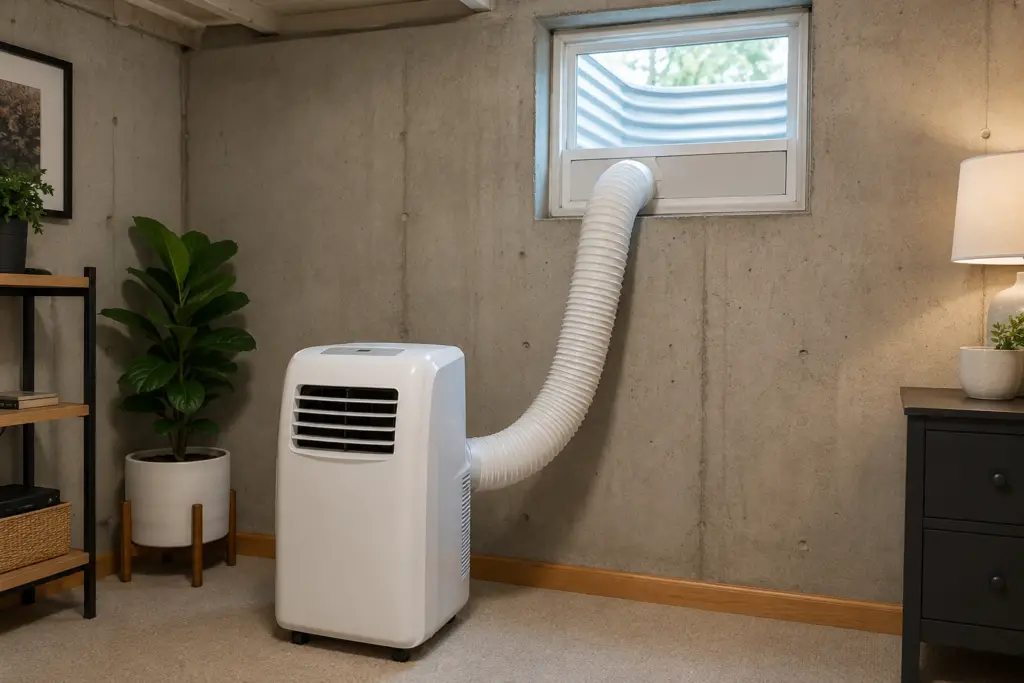 1. Portable Air Conditioners
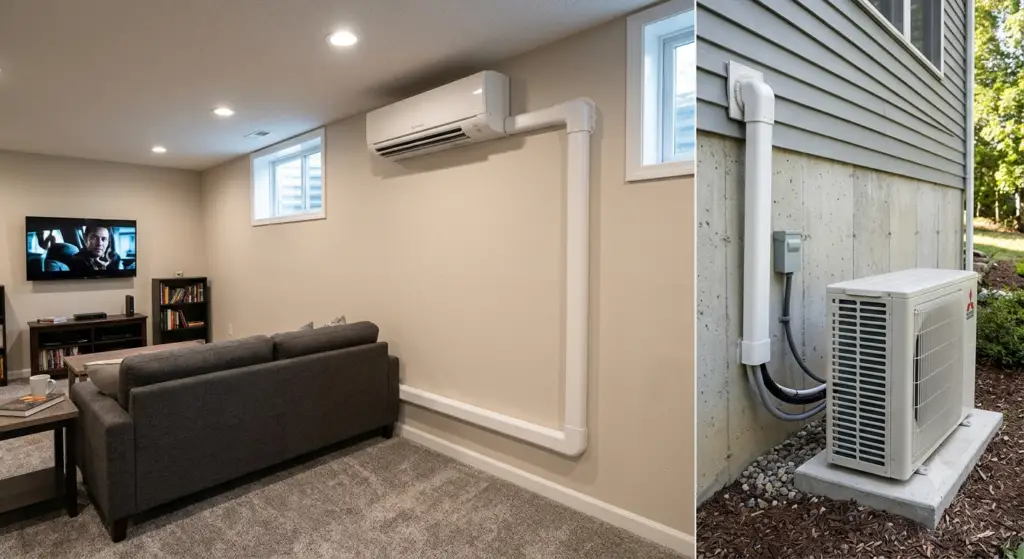 2. Mini Split Air Conditioners
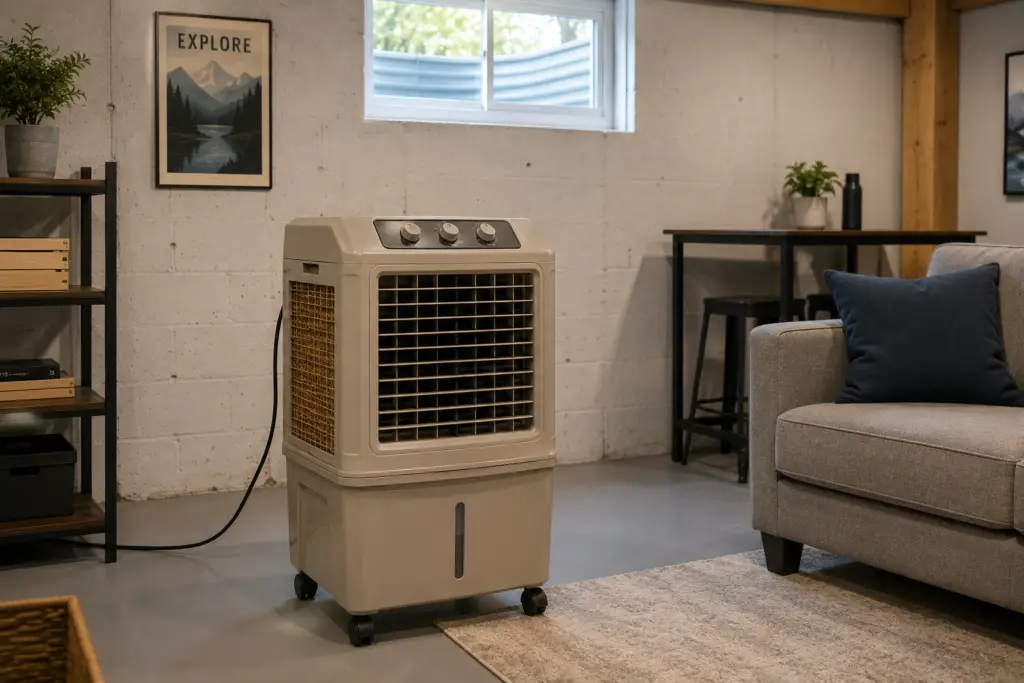 3. Ventless Air Coolers
 6. Don’t Overlook the Dehumidifier